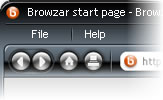
 The latest entrant to the crowded Internet browser market is the appropriately named Browzar, a tool specifically designed to protect users’ privacy by not retaining details of the Web sites they’ve searched.
Most Web browsers like Microsoft Corp.’s Internet Explorer automatically save users’ searches in Internet caches and histories. Users do have the option of deleting the history folder and emptying the Internet cache, but many people either don’t know how to do that or tend not to, leaving a trail of where they’ve been online behind them in the browser.
Browzar is being officially launched Thursday but can already be run or downloaded from its Web site. Users don’t have to register to use the free browser. Browzar automatically deletes Internet caches, histories, cookies and auto-complete forms. Auto-complete is the feature that anticipates the search term or Web address a user might enter by relying on information previously entered into the browser.
 Download: Browzar | 264 KB (Freeware, Silver or Black Theme)
 View: Full Article @ InfoWorld
*Update* – OK I just tested it myself and it doesn’t even work! 😀
1. Download it and visit a site you’ve never visited before using IE.
2. Open up the INDEX.DAT file in your Temporary Internet Files directory with Notepad.
(such C:\Documents and Settings\”Your Username”\Local Settings\Temporary Internet Files\Content.IE5\index.dat)
3. Do a search for the URL, and there it is.
Not what I would call a “no tracks” web browser. Of course a little research into the Internet Explorer engine would have told them it wasn’t going to work.